> For the complete documentation index, see [llms.txt](https://visualonecompany.gitbook.io/storyframeworkdocs/llms.txt). Markdown versions of documentation pages are available by appending `.md` to page URLs; this page is available as [Markdown](https://visualonecompany.gitbook.io/storyframeworkdocs/getting-started/quickstart/general-workflow.md).
# General Workflow
The process behind working with Story Framework and understanding how systems communicate with one another.
***
SF utilizes [Actor Components](https://visualonecompany.gitbook.io/storyframeworkdocs/core-components/referencing-and-general-info.md) to communicate and drive majority of all systems found within this blueprint framework. These actor components are designed to do all the heavy lifting, keeping 95% of all blueprints and code outside of the player controller and/or player character blueprint class. These actor components are as follows:
* [Interaction Manager](https://visualonecompany.gitbook.io/storyframeworkdocs/core-components/editor.md) (Responsible for **all** forms of interaction)
* [Inventory Manager](https://visualonecompany.gitbook.io/storyframeworkdocs/core-components/markdown.md) (Used to control item inventories, journal, quest log, quick-access inventory, etc)
* [Quest Manager](https://visualonecompany.gitbook.io/storyframeworkdocs/core-components/questing.md) (Manages all quest related functionality)
* [Sequence Manager](https://visualonecompany.gitbook.io/storyframeworkdocs/core-components/cinematic-tooling.md) (Used for cinematics, skill checks, and subtitled voice lines)
* [Dialogue Manager](https://visualonecompany.gitbook.io/storyframeworkdocs/core-components/dialogue-framework.md) (Manages all dialogue related functionality)
* [Save Manager](https://visualonecompany.gitbook.io/storyframeworkdocs/core-components/saving-loading.md) (Responsible for saving and loading SF data during runtime)
Understanding that functionality is driven through these Actor Components will make customizing and tweaking core SF logic easier, and faster.
***
Player inputs are handled using Input Mapping Contexts (IMC), and swapping between different IMC's depending on the gameplay situation. For instance, when the player pauses, SF will switch the default `SFGameplay_IMC` to the `SFWidgets_IMC`. This avoids any overlapping inputs throughout gameplay, and keeps the whole process of creating new IMC's linear and understandable to use.\
\
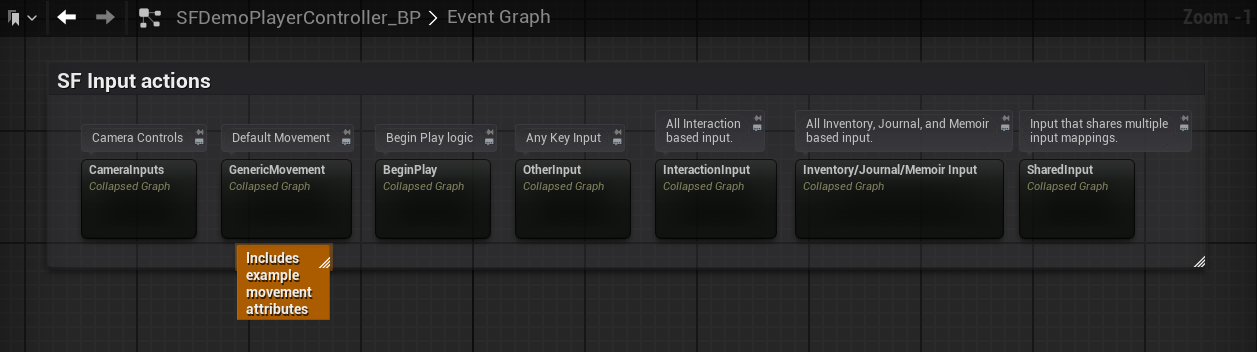
All of the different input events and functions are called from within the player controller blueprint. Input actions are essentially the only dependent logic inside either of the player character or player controller blueprints.
{% hint style="info" %}
Find out more about [Enhanced Inputs](https://dev.epicgames.com/documentation/en-us/unreal-engine/enhanced-input-in-unreal-engine) and how they handle input actions within Unreal.
{% endhint %}
***
## **Color coded graphs/comments inside SF's blueprints**
Some of SF's blueprints use orange tinted graphs and comments to indicate that the functionality inside of those graphs/comments are more so for demonstration purposes, meaning that it can be removed or disabled. Graphs/comments that are tinted black should be considered essential to it's functionality, with some exceptions being logic that creates and plays sounds.\
\
Refer to the `SFBlueprintStructure` asset for more information about how to better read SF's graphs.
***
## Tooltips
SF includes tons of tooltips added to variables and other values. If you're uncertain as to what exactly a value does, its more than likely that hovering over said variable will display a tooltip describing how that value is used.